Multilingualism
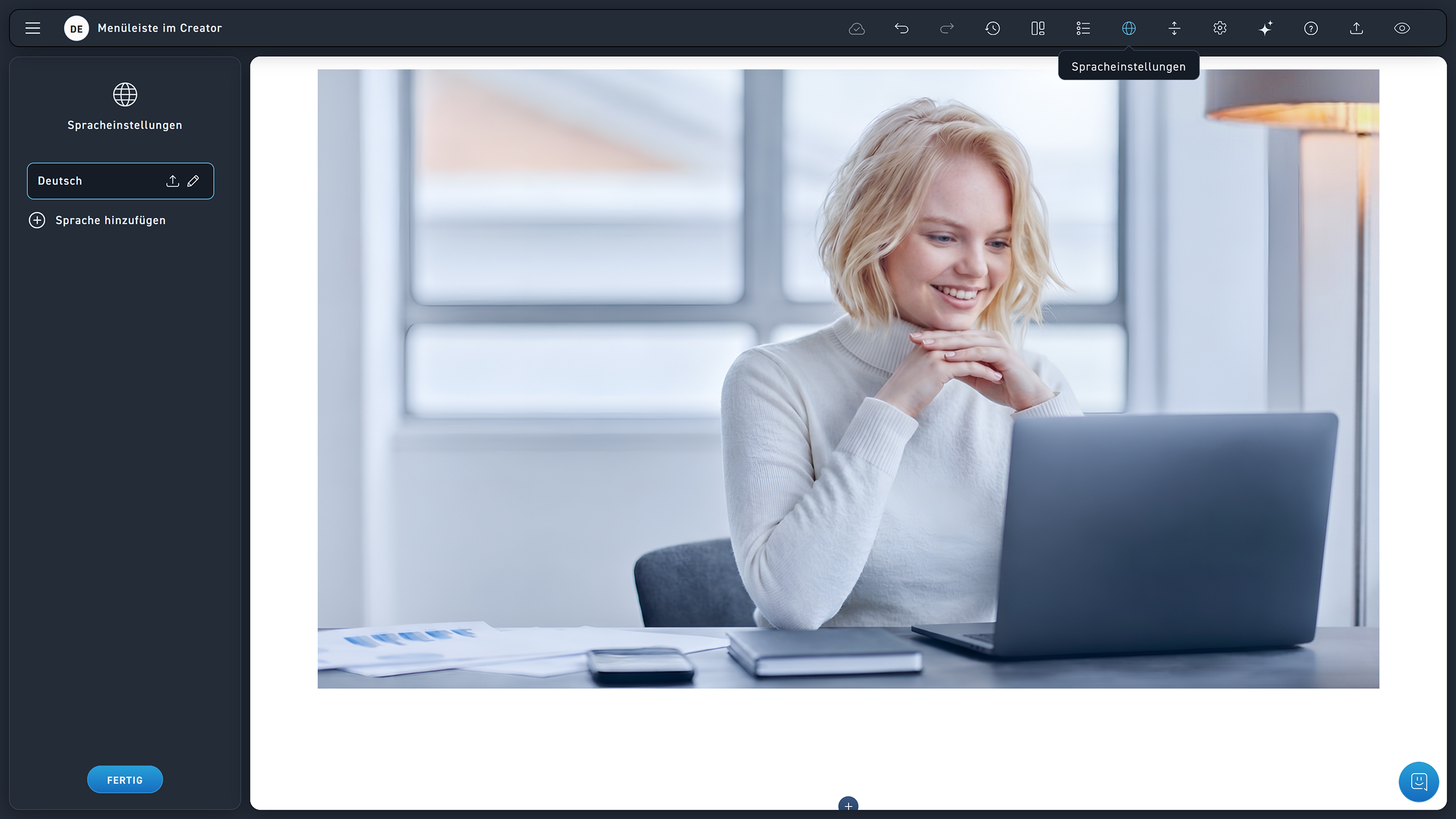
Open the language menu via the globe icon in the menu bar.
Your source language is displayed here. If you want to change it, click on the pencil icon. Click on the download icon to download an XLIFF file.
To translate a WBT, first click on Add Language.
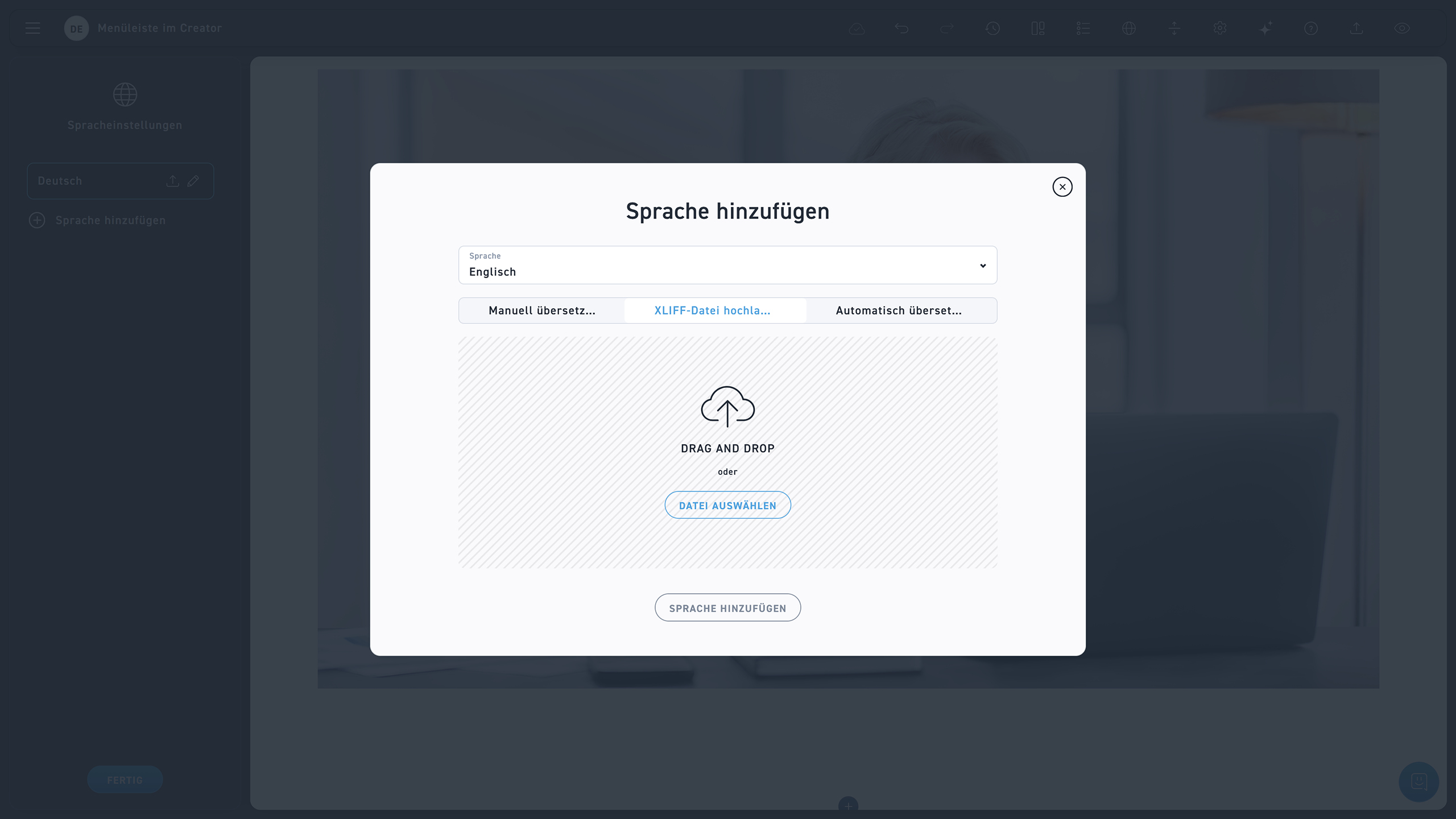
Select your desired language from the dropdown menu.
Select Manual Translation if you want to translate your WBT manually.
If you already have an XLIFF file for the translation, select it using the Upload XLIFF button.
Click Auto Translate to translate the WBT with AI.