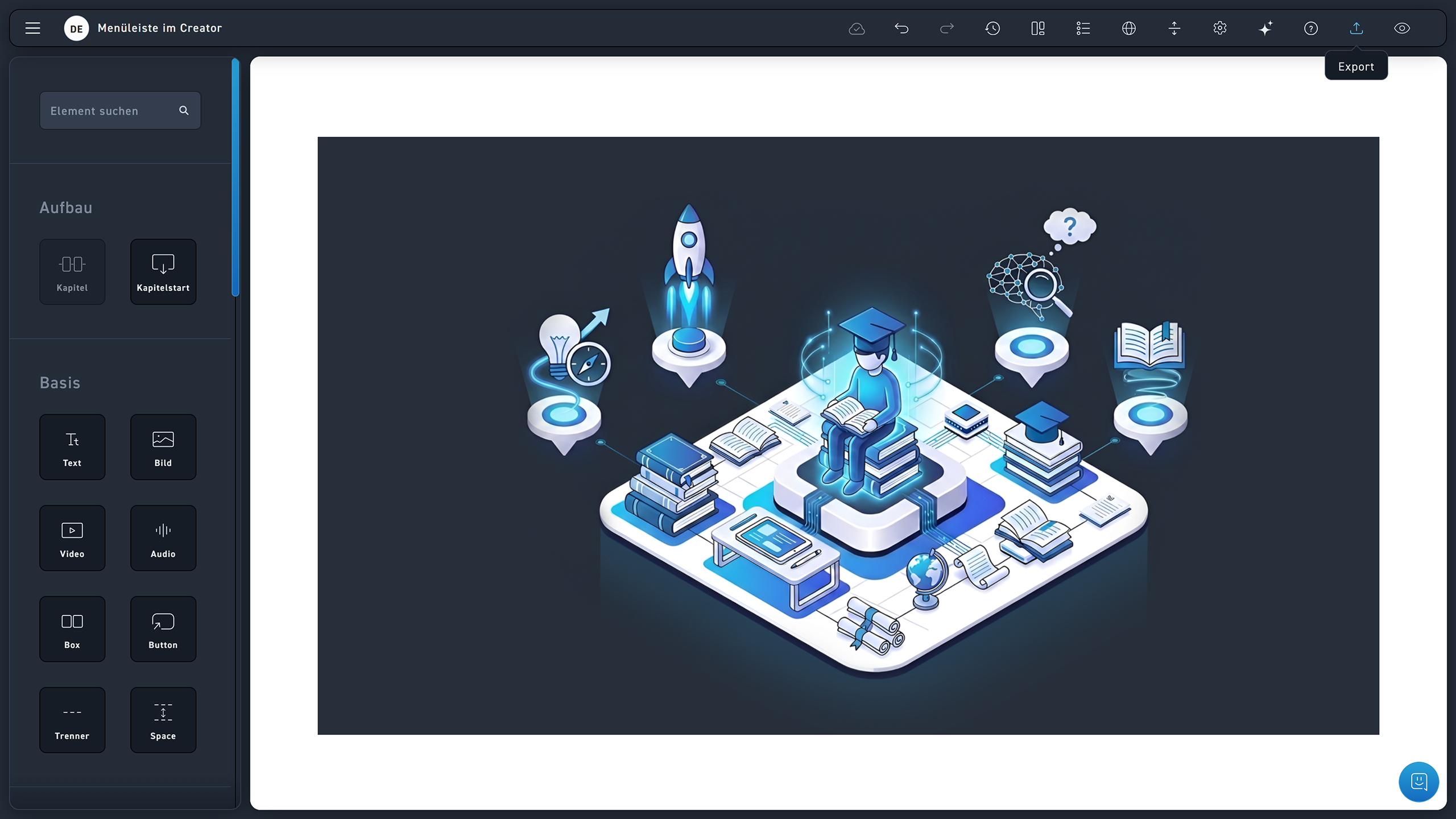
Export

STEP-BY-STEP INSTRUCTIONS #

Look at this step-by-step.

1
Click the Export button in the top right corner to export your WBT.
1
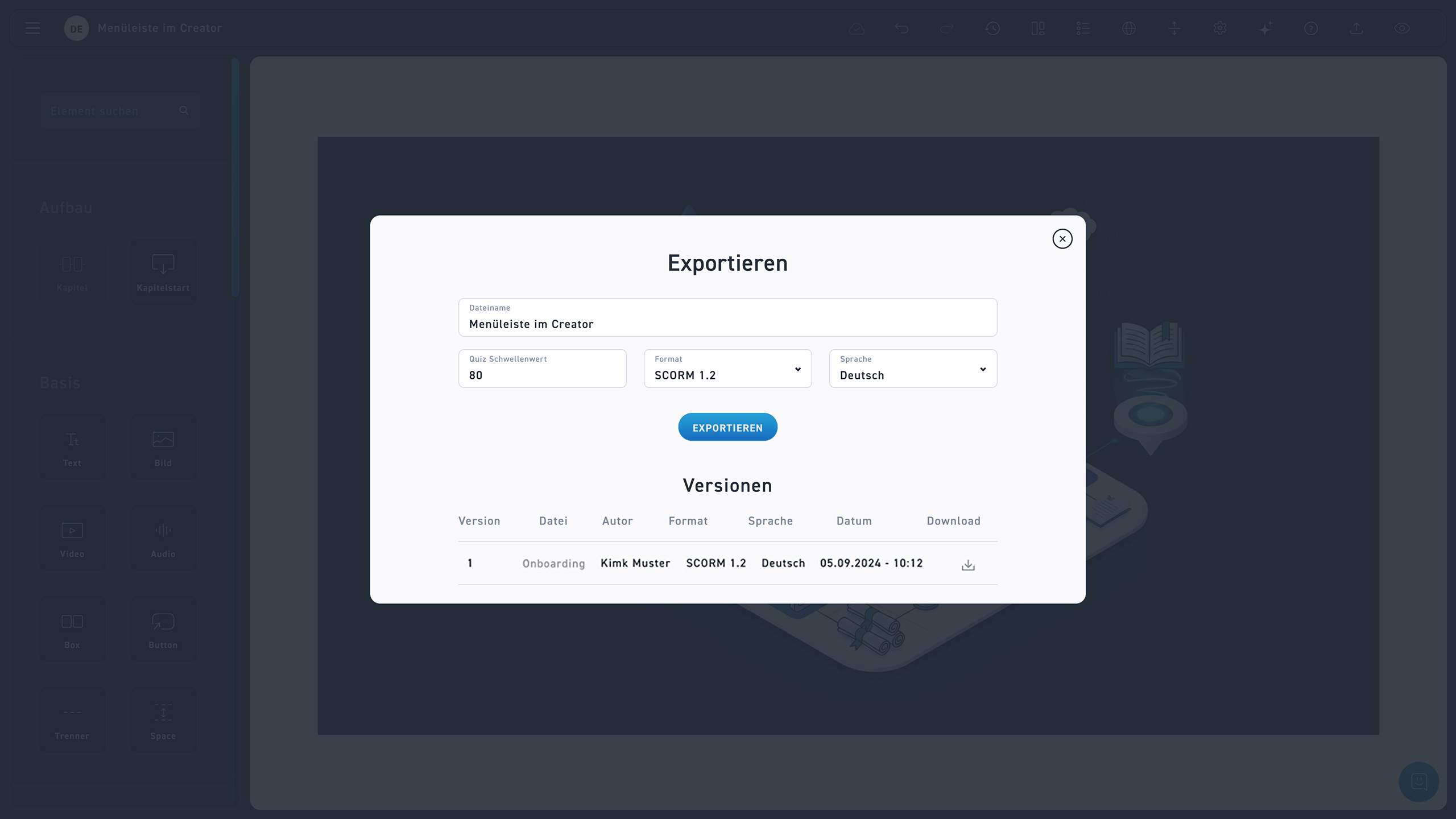
Select the export format (SCORM 1.2, TinCan xAPI, HTML5).
2
Click Export to download the file.
3
Under Versions, you can see the already exported versions of the WBT and re-download them in the Download tab.

The Quiz Threshold Indicates how many quiz questions must be answered correctly to pass the WBT. To achieve meaningful percentages, such as 80 %, at least three quizzes are recommended, since a single quiz yields only either 0 % or 100 %.