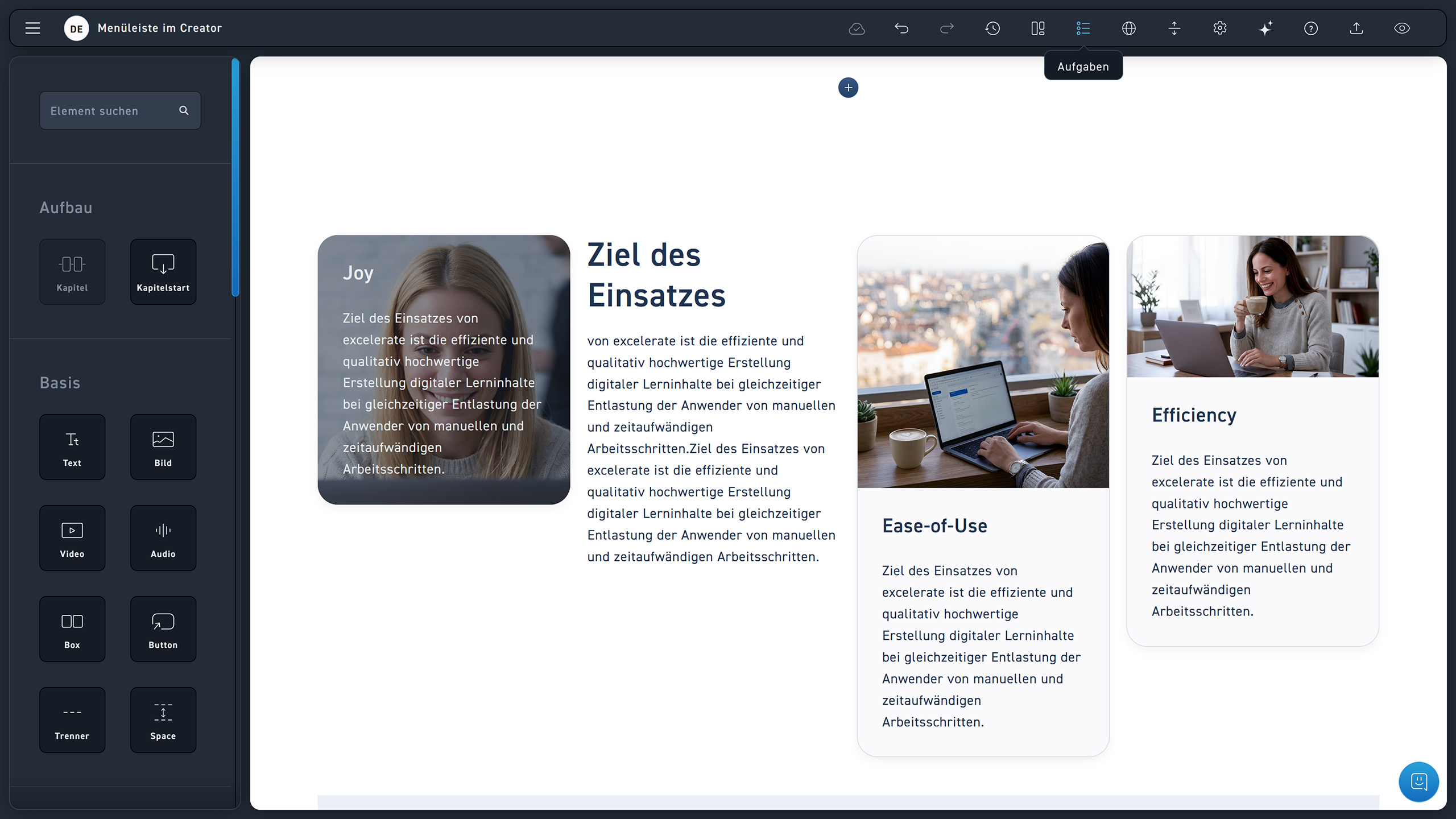
Review System

eXcelerate offers your team a powerful collaboration tool. With it, you can establish an efficient workflow for reviewing and approving your WBTs.

With the review system, you can easily leave comments on every element and even attach files, set deadlines, and assign tasks to the right person. Click on the Listen symbol, to switch to task mode.

Video Tutorial  #

In the following video tutorial, learn how to create the element.

STEP-BY-STEP INSTRUCTIONS #

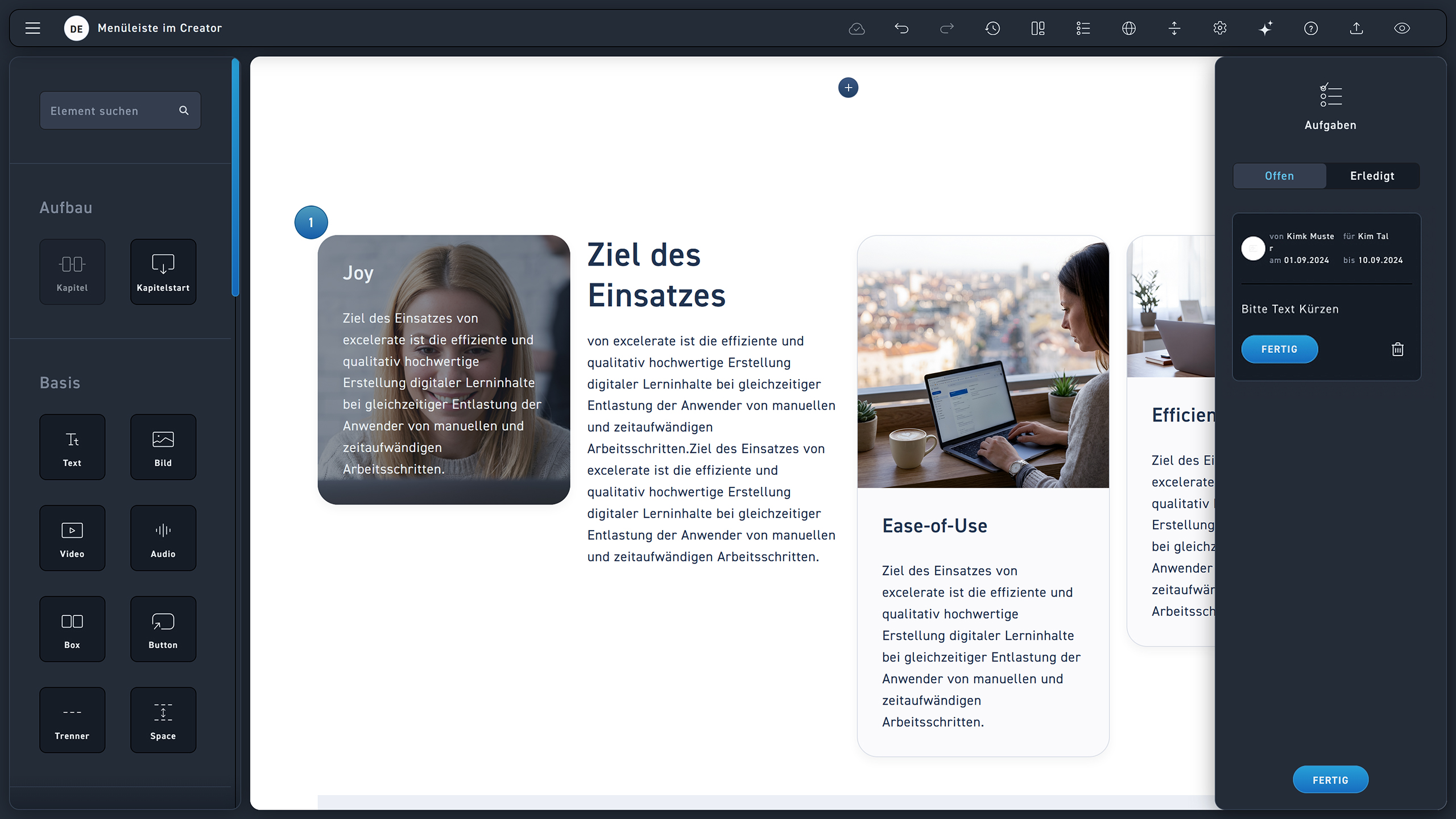
Take a look step by step at how you can see which tasks are open and which are completed.

1
Switch to tasks mode using the list icon.
1
Elements with open tasks are indicated by a blue circle showing the number of open tasks.
2
Open tasks can be completed by the author they were assigned to. If no author was selected, any author can complete the task.
3
Click Finish when the task is complete.
4
Here you can see all completed tasks in your WBT.
STEP-BY-STEP INSTRUCTIONS #

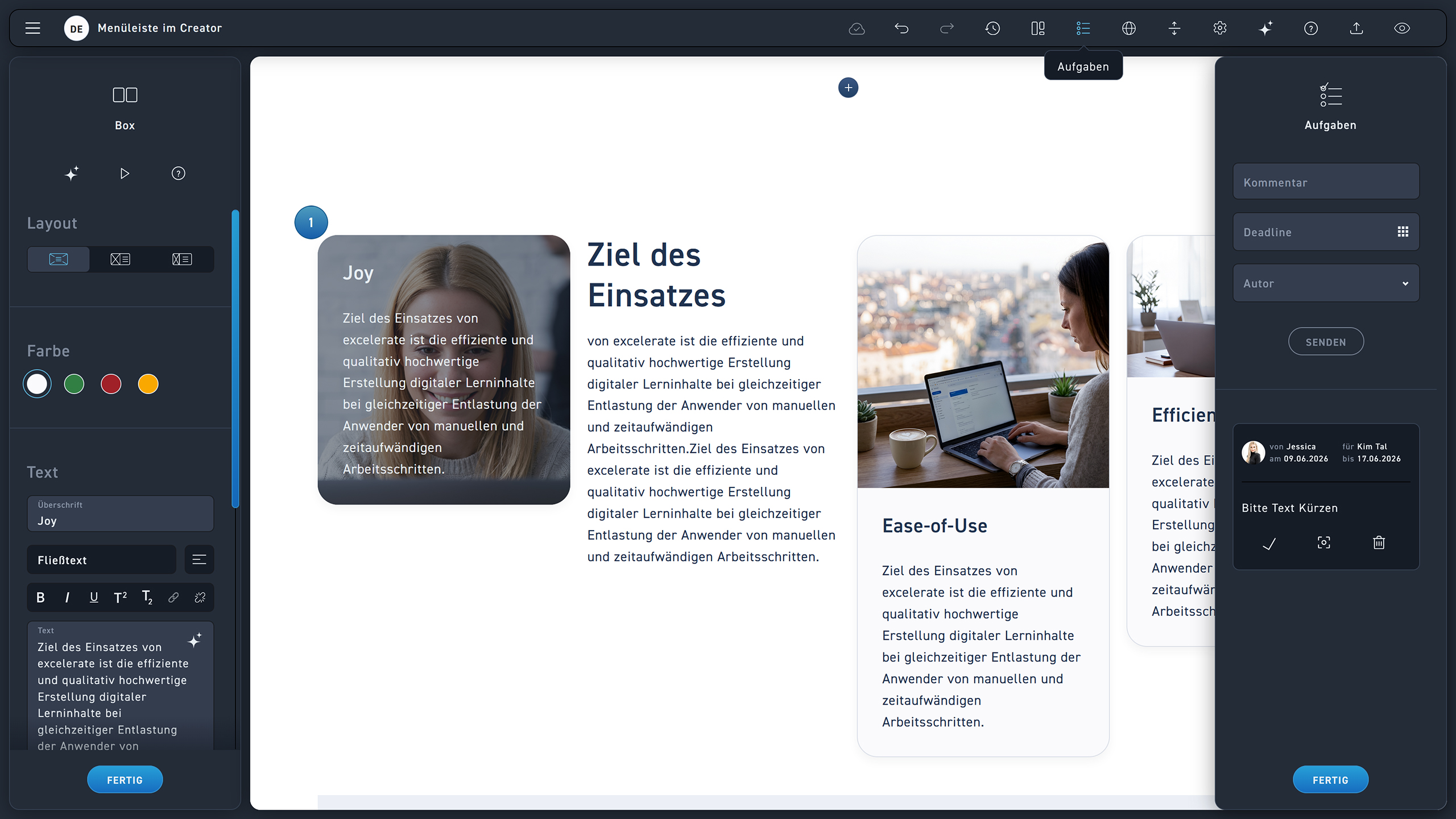
Look step by step at how you create a task.

1
Click the list icon to open the create task mode.
2
Click the element to select where you want to leave a task.
3
Enter your task in the corresponding text field.
4
Set a deadline (optional).
5
Select the author to perform the task (optional).
6
Click send to submit the assignment.